
Your recipes,
beautifully organized.
Save a recipe from anywhere: a website, or a YouTube, TikTok, or Instagram video. Then plan your week, shop the list, and cook hands-free.
Everything you need. Nothing you don't.
From paste to plate. Ladle handles the rest.
Browse & save
A browser built right in. Find a recipe on any site without leaving Ladle, then save it with one tap.
Ask, don't tap
Six actions for Siri and the Shortcuts app, from 'what's for dinner?' to starting a cook. Your recipes show up in Spotlight search too.
Freshly redesigned
Every screen rebuilt to feel calmer and quicker: a roomier library, a Today-first meal plan, and an in-store shopping mode that shrinks as you check things off.
Write it yourself
Not every recipe comes from a link. A guided editor walks you through the name, ingredients, steps, and tags, so you can add family recipes by hand.
Say it out loud
Read a recipe aloud and Ladle writes it down, all on your device and private. It works in every language your iPhone can dictate, Czech and Slovak included.
Import from any link
Paste any recipe link: a website, or YouTube, TikTok, and Instagram. Ladle reads the caption, transcribes the video on your device, and turns it into a recipe.
Image to Recipe
Snap a photo of a cookbook page or handwritten card, or share a screenshot from Photos. AI does the rest.
Share to Ladle
Found a recipe in Safari, a blog, or social? Share it straight to Ladle. It imports next time you open the app.
Cooking Notes
Add your tweaks straight to the recipe. 'Use less salt.' 'Needs 5 more minutes.' They stick around for next time.
Tags & smart filters
Tag recipes by cuisine, occasion, or anything else. Filter and sort your library by what you actually want to cook tonight.
Units & scaling
Flip between metric and US with one tap. Or scale a recipe to what you have: hold an ingredient, set the amount, and everything rounds to cook-friendly numbers.
Meal Planning
Add recipes to a 2-week calendar. Or let Ladle plan it: Standard, Discover New, or Favourites.
On-device AI
Apple Intelligence plans your week and suggests swaps for ingredients you're missing, all on your device. Nothing goes to the cloud.
What can I cook tonight?
Daily picks from your own library, based on what you last cooked and how you rated it. It runs on your phone, so it never spends a credit.
Cooking Mode
Start with a prep checklist, tick off ingredients as you go, size the text to read from across the kitchen, and resume where you left off. Timers ring even on silent and stay live on the Lock Screen.
Live Activity timers
Cooking Mode timers run on the Lock Screen and Dynamic Island. Glance at the time without unlocking.
Cook history & ratings
Tap a thumbs up after dinner. See when you last cooked it, how often, and what you thought.
Smart Shopping List
As you add meals, your shopping list builds itself. Add your own items too, and matching ingredients merge across recipes.
Smart grocery aisles
Your shopping list sorts itself by aisle: produce, pantry, dairy, and the rest. Shop the store once, top to bottom.
Widgets
Today's meal on your Home Screen, Lock Screen, and in StandBy. Tap to open the recipe.
Share & Discover
Anyone with the link can preview the recipe in their browser. Tap 'Open in Ladle' to import.
Now in 7 languages
Ladle speaks English, Slovak, Czech, German, French, Spanish, and Italian. Switch any time in Settings.
Sync Everywhere
End-to-end encrypted via iCloud. Your recipes stay yours.
See it in action
Real screens from the real app.
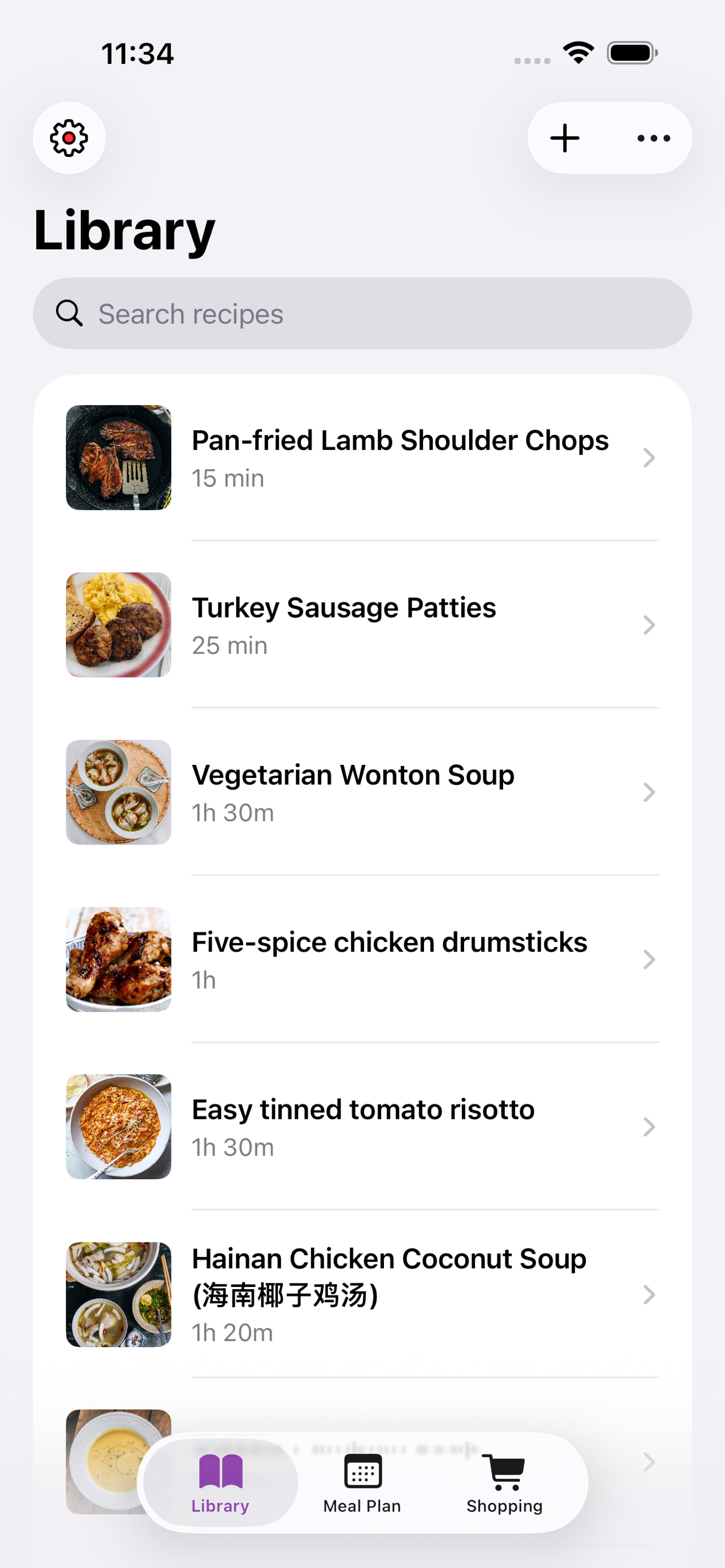
All your recipes, in one place
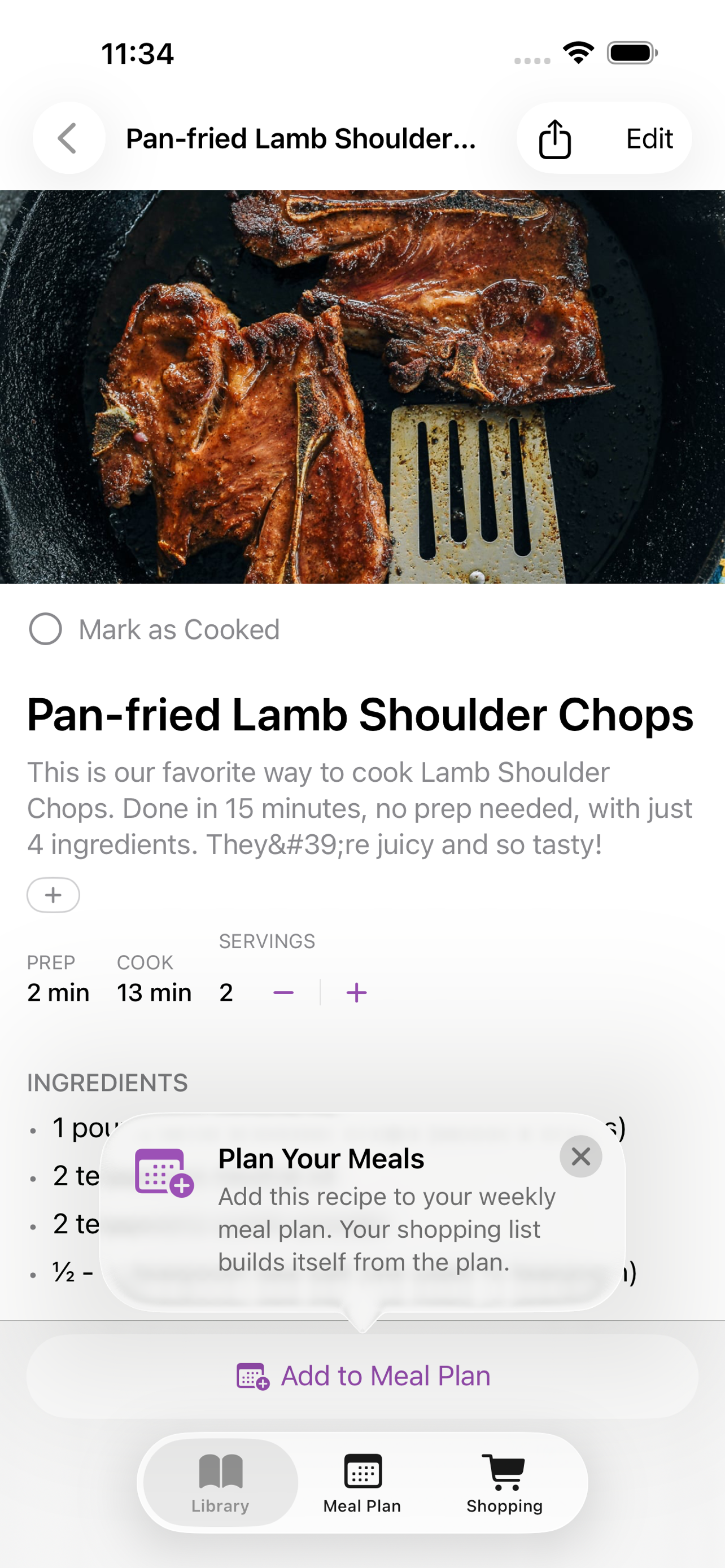
Ingredients, steps, the lot
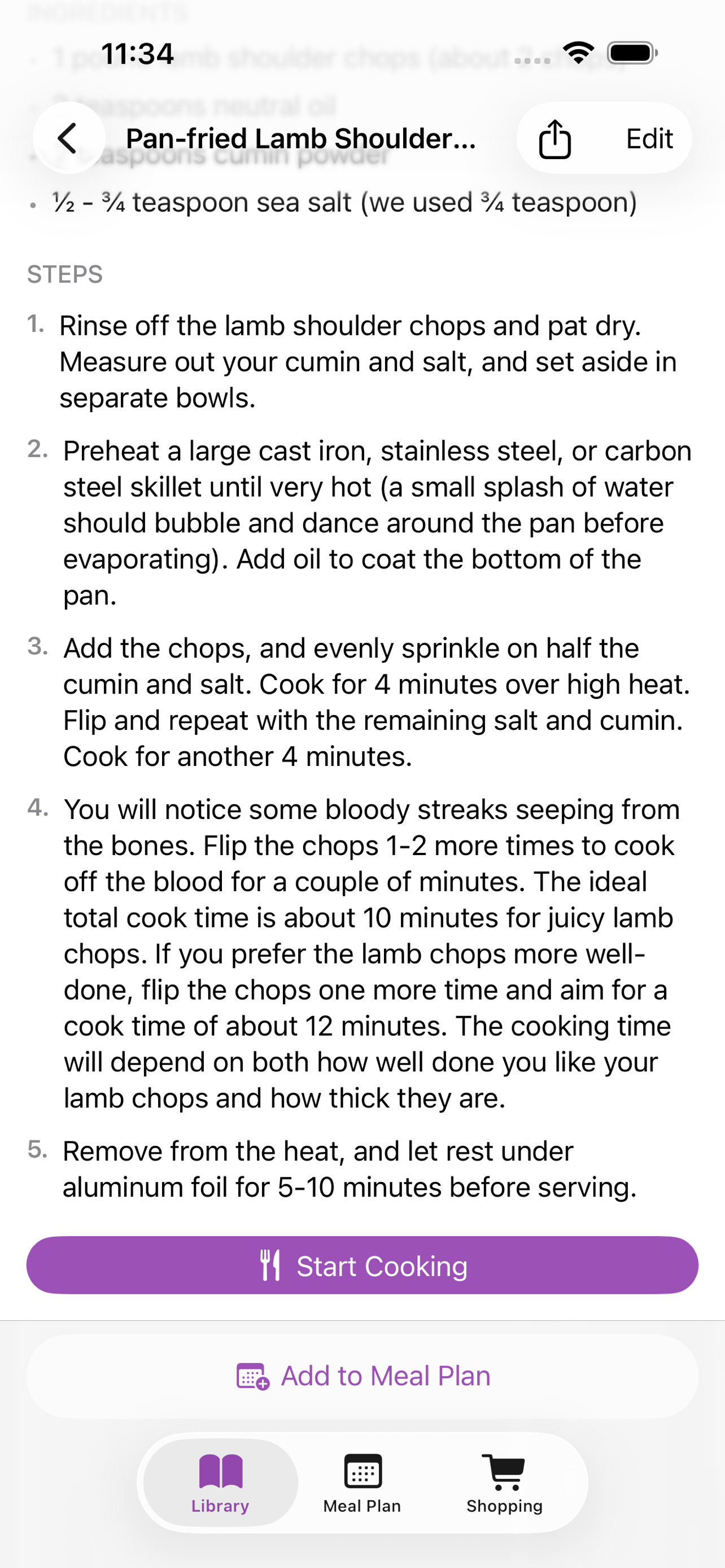
Step-by-step cooking
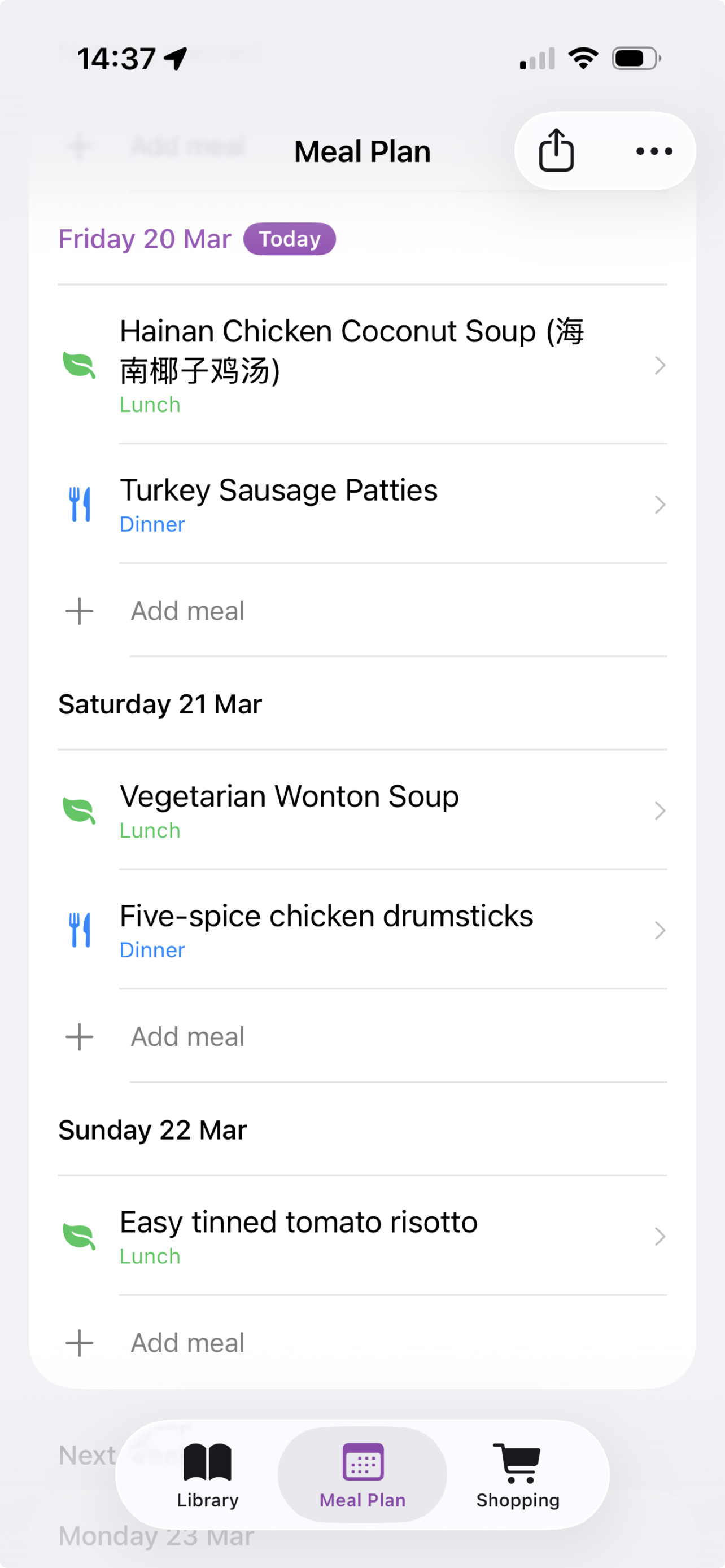
Plan your week
From URL to table in minutes
Three steps to never lose a recipe again.
-
1. Import
Paste any recipe URL, or snap a photo of a cookbook. Ladle pulls out the ingredients, steps, and photo.
-
2. Plan
Add recipes to your weekly meal plan. The shopping list builds itself.
-
3. Cook
Open Cooking Mode. Step-by-step instructions, timers built in, and no flour on the screen.
Simple, transparent pricing
Free to start. Upgrade if you want the extras.
Free
Everything you need to start cooking
- Import from any link - websites, YouTube, TikTok, Instagram
- 3 AI import credits to get you started
- Manual recipe entry, plus photo and text import
- Meal planning with AI suggestions
- Smart shopping lists
- Tags, filters, and sorting
- Cook history & ratings
- Cooking Notes
- Recipe sharing as web links
- Unit conversion
- iCloud sync (end-to-end encrypted)
Premium
PROFor serious home cooks
or $12.99 once best value
- Everything in Free, plus:
- Cooking Mode - hands-free, full-screen, with Lock Screen & Dynamic Island timers
- Image to Recipe - snap a photo of a cookbook or handwritten card
- Voice dictation - read a recipe aloud, transcribed on your device
- Batch import - paste many URLs at once
- Family sharing - you plus up to 4 family members share one library, meal plan, and shopping list
- Top up anytime with 10-credit AI import packs